Trying Image to Image AI for Free? A Practical Checklist Before You Start
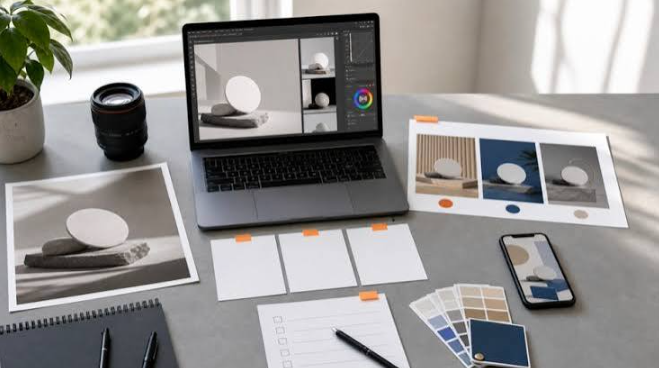
Image to image AI has become one of the most practical ways to edit pictures. Instead of starting from a blank prompt, you upload a photo and describe what should change. It’s no surprise that many people want to try it for free first, and that’s a sensible instinct. But “free” means very different things from one platform to the next, and a little preparation helps you judge a tool fairly and avoid wasted effort.
This guide covers what image-to-image AI does, what to check before you rely on a free option, the most common beginner mistakes and when upgrading makes sense, using Animx as a practical example.
How Image to Image AI Differs From Text-to-Image
Text-to-image tools start with nothing but a written description. Image-to-image tools start with a picture you supply, such as a photo, a screenshot or an illustration, and transform it according to your instructions. The change can be small, like removing a stray object, or large, like turning a holiday snapshot into a watercolor painting.
Starting from a real image gives you far more control. Exact poses, lighting and composition are hard to describe in words but easy to show in a photo. On Animx, the model follows a simple principle: it preserves what you don’t mention and changes what you do. You can swap a background, change clothing, remove objects or restyle the whole scene with a plain-language prompt, without masks or layers.
Why Starting With a Free Option Makes Sense
Results vary between tools, and even between models on the same platform, so testing before paying is smart. A free trial shows you how a platform handles your own images, how accurate its edits are and whether its style suits you. Many people also edit images only occasionally, which makes a subscription hard to justify on day one.
That’s what an Image to Image AI Free trial on Animx is for. New accounts receive free credits on sign-up, with no card needed, so you can upload your own photos and test real edits before deciding whether a paid plan is worth it.
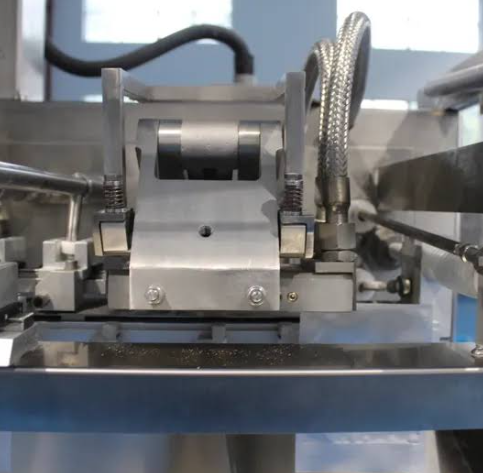
See also: Horizontal Form Fill Seal Machine: The Complete Guide
Five Things to Check Before You Rely on Any Tool
1. How Far the Free Access Goes
Free tiers differ widely. Some offer a few edits a day, others a monthly allowance and others a one-time trial. Check how many generations you actually get, which models are included and whether resolution is capped.
On Animx, free access is a one-time trial of credits, enough to try the basic-tier models, rather than an ongoing free plan. The credit cost of every edit is shown before you generate, so you always know what a test will use. Higher-resolution outputs cost more.
2. Watermarks and Usage Rights
Some free tools add watermarks or limit how outputs can be used. That’s fine for personal experiments, but it matters for anything you plan to publish, sell or deliver to a client. Check the rules before you build a project around free outputs.
On Animx, every paid plan includes commercial rights. Treat the trial as a way to test quality, and move to a paid plan for ads, product listings and client work.
3. Whether the Original Image Stays Intact
A good image-to-image tool keeps the composition and content of your source image unless you ask for a change. Test this with a picture that has a clear structure, such as a product on a table or a person in front of a building, and ask for one specific edit.
On Animx, background swaps keep the subject’s lighting and pose, and Flux Kontext Max is built for surgical, pixel-level edits when only a small area should change.
4. How Much Control You Have Over the Change
Sometimes you want a subtle adjustment, and sometimes a complete restyle. Some tools offer a strength slider, while others rely on the prompt. On Animx, you control the intensity with your wording: ask for a subtle change and list what must stay the same, or request a full restyle. Because each result can become the input for the next edit, you can also build up changes gradually.
5. What Happens to Your Uploads
Your images are processed on external servers, so read the privacy policy before uploading anything personal. According to Animx’s privacy policy, prompts and uploads are processed to run and improve the service, and anonymized usage data may be used to improve AI systems unless an enterprise or private plan states otherwise. Users can request deletion of uploads and generated content, subject to legal and operational requirements, and users in the EEA, UK and Switzerland have GDPR rights. As a rule, avoid uploading confidential documents or sensitive personal images to any AI tool.
Beginner Mistakes That Waste Credits
Giving Up After One Attempt
Image-to-image AI rewards iteration. If the first result isn’t right, refine the prompt, make one change at a time or keep editing from the best version so far.
Starting With a Weak Source Image
Blurry, dark or heavily compressed pictures give the model less to work with, whatever tool you use. Animx accepts JPEG, PNG and WebP files of up to about 20 MB, so upload the sharpest version you have.
Forgetting Where the Image Will Be Used
Think about the final destination before you start. A story, a website banner and a product listing need different shapes. Animx’s image workspace supports square, 9:16, 16:9, 3:4 and 4:3 formats. Most models output up to 2K, while Nano Banana Pro reaches 4K. Test ideas at standard resolution and save high resolution for the final version.
Testing Only One Model
The same source image can produce very different results across models. On Animx, Nano Banana offers photoreal accuracy, Flux Kontext Max handles precise edits, Seedream 4 can combine up to 10 input images and GPT Image 2 renders readable text inside the image. Compare two or three models on the same test image. The trial covers basic-tier models, while paid plans open up more of the lineup.
How to Make Free Credits Go Further
- Check the cost first. Each edit’s credit cost is shown before you generate.
- Start small. Begin with a subtle edit and increase the change step by step.
- Try different source types. Test a photo, a screenshot and an illustration to see how versatile the tool is.
- Save every version. Keep the original and each variation so you can compare them side by side.
- Write precise prompts. Name the style, lighting and mood, and say exactly what must stay the same.
- Read the policies. Check usage and privacy terms before uploading anything sensitive.
Free Trial vs Paid Plans: What Changes
Free access is designed for testing, so it comes with trade-offs. On many platforms, that means watermarks, lower resolution caps, fewer models or slower queues at busy times. On Animx, the main differences look like this:
| Feature | Free trial | Basic | Plus and Ultra |
|---|---|---|---|
| Credits | One-time trial | 700 per month | 10,000 or 30,000 per month |
| Models | Basic-tier models | Selected entry models | All models |
| Commercial rights | Paid plans only | Included | Included |
Paid plans also let more images render at the same time: up to 2 on Basic and up to 8 on Plus and Ultra. Plans and allowances can change, so check the current pricing page before you decide.
When Upgrading Makes Sense
If the trial shows that a platform fits your needs, but credits, model access or usage rights start getting in the way, upgrading on that same platform is usually more efficient than juggling several free tools with different limits, styles and rules.
On Animx, you can upgrade, downgrade or cancel at any time, annual billing costs less than monthly, and top-up credits never expire and stack on top of your plan. Image and video models share one credit balance, so the same plan also covers turning your edited images into short videos.
Final Thoughts
A free trial is the smartest way to begin with image-to-image AI. It lets you test real edits on your own photos before spending anything, as long as you keep realistic expectations about credits, usage rights and quality. Trust your own tests more than marketing claims, start with subtle edits and refine from there. If the results fit your work, Animx’s paid plans add monthly credits, wider model access and commercial rights, all in one workspace.