The 10 Best AI Video Face Swap Tools of 2026
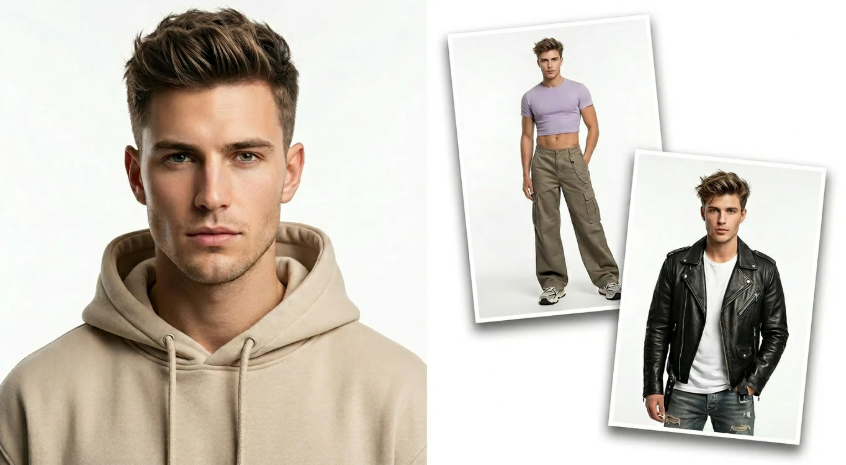
Swapping a face into an existing video used to mean tracking software, masking layers, and hours in After Effects. As of July 2026, a good face swap video free tool does the same job from a browser in under a minute, no editing software required. I spent two weeks running the same test clip, a 10-second front-facing video with head movement and a hand crossing the face, through ten platforms to see which ones actually held the swap steady across motion instead of glitching at the edges. Here is what actually worked.
Quick Answer: The Best AI Video Face Swap Tools at a Glance
| Tool | Best For | Free Plan | Starting Paid Price | Standout Feature |
| Magic Hour | All-around creators, agencies, developers | Yes, 3 daily swaps, no signup | $10/month (annual) | Combines face swap, lip sync, and talking photos in one workflow |
| Reface | Fast mobile social content | Yes, ad-supported, watermarked | $3.99/month | 300M+ downloads, huge trending template library |
| Vidnoz | Marketing teams, group scenes | Yes, limited length | $4.99/month | Multi-face swap supporting 10+ people at once |
| Akool | Enterprise marketing pipelines | Free trial | ~$30/month | Face swap bundled with avatars, translation, and API |
| FaceSwapper.ai | Instant, no-commitment swaps | Yes, fully free | Free | No signup, no watermark, zero friction |
| Swapface | Live streaming and VTubing | Limited trial | Varies by license | Real-time, local GPU-based face swap |
| DeepFaceLab | Technical users needing maximum quality | Free, open source | Free (own hardware) | Highest achievable output ceiling for those with the skills |
| Remaker AI | Pay-as-you-go credit users | Yes, 30 credits + daily bonus | $9.99 (530 credits) | Wide toolkit beyond face swap in one dashboard |
| Pica AI | Higher-quality video face swap | Limited free | $9.99/month | 3K+ resolution output, stronger facial motion |
| MioCreate | Budget group and multi-face swaps | Yes, generous free tier | $12.99/month | Handles 10 faces simultaneously, faster processing |
How I Chose These Tools
I tested every platform against the same three scenarios: a clean, well-lit frontal video, a clip with head turns and a hand briefly crossing the face, and a two-person scene requiring separate face swaps. I scored each tool on four things: how well the swap held together across motion and partial occlusion, temporal consistency between frames rather than flickering, processing speed from upload to finished file, and whether the pricing was clear enough to predict a real monthly cost rather than guessing at credit consumption. I verified every price against each company’s current pricing page, since face swap tools in particular tend to restructure credit systems often.
1. Magic Hour
Magic Hour took the top spot because it treats face swap as one part of a connected creative workflow rather than an isolated party trick. A single project, swap a face into a clip, then lip sync new audio to it, then upscale the result, stays inside one tool instead of exporting between three separate apps.
Pros:
- No signup required to try the tool; you get 3 free video face swaps per day with no account
- Best-in-class face swap, lip sync, and talking photo tools live in the same workspace, so multi-step projects rarely need a second app
- Credits never expire once earned, unlike most competitors where unused monthly credits reset to zero
- Automatic handling of motion and angle changes across frames, which cuts down on the manual cleanup other tools still require
- One-click multi-step workflows (swap, then lip sync, then upscale) without re-uploading between steps
- Parallel generations with no concurrency cap on paid plans, useful for testing several variants at once
- Weekly feature releases, full API parity, and founder-level support responses for account issues
Cons:
- Free tier clips are capped at 10 seconds and 576p; full-length, higher-resolution output requires a paid plan
- Best results depend on a clear, front-facing source photo with good lighting, a limitation shared with every tool on this list rather than unique to Magic Hour
If you want a genuinely free face swap video free tool that does not lock the workflow to face swap alone, this is hard to beat. Independent testing from other reviewers has consistently placed Magic Hour among the most natural-looking results on difficult footage, without the credit-consumption surprises that show up on several aggregator-style competitors.
Pricing: Free (3 daily video face swaps, no signup, 576p). Creator: $15/month, or $10/month billed annually ($120/year). Pro: $39/month, with 1472px export. Business: $99/month, built for teams and agencies with 4K export and unlimited concurrent generations.
2. Reface
Reface is the most downloaded face swap app on the market, built around a huge library of pre-made GIF and short-video templates rather than open-ended custom video editing.
Pros:
- Over 300 million downloads, the most widely used mobile face swap app available
- Massive, constantly refreshed template library covering movie scenes, memes, and trending clips
- Three-tap workflow makes it the fastest path from a selfie to a shareable result
- Strong native iOS and Android apps optimized for quick mobile creation
Cons:
- Limited to its own template library rather than custom video uploads for most use cases
- Free tier is ad-supported and watermarked
- Multi-face scenes and complex lighting produce noticeably weaker results than single, well-lit faces
For quick, shareable social content built on existing trending templates, Reface remains the fastest option available. For custom video face swap on your own footage, which is the more common professional use case, it is a poor structural fit compared with tools built for uploads.
Pricing: Free (ad-supported, watermarked). Paid plans start around $3.99 to $9.99/month depending on region and billing term, with an annual plan around $24.99/year.
3. Vidnoz
Vidnoz positions itself as a broader AI video platform with face swap as one feature among avatars, voice cloning, and text-to-video tools.
Pros:
- Multi-face swap supports group scenes with 10 or more people simultaneously
- Strong accuracy across different genders, ages, and skin tones in group frames
- Bundled access to avatar video creation, voice cloning, and talking photo tools on the same plan
- Batch processing handles multiple files at once rather than one at a time
Cons:
- Free tier limits clip length and daily processing time, functioning more as a demo than a production tool
- Rendering complex or longer videos can be noticeably slow compared with dedicated face swap specialists
- Face swap quality is solid but does not reach the ceiling of tools built purely around that one task
If group or multi-person video content is the main use case, Vidnoz’s multi-face handling is a genuine strength. For a single, high-fidelity face swap on demanding footage, a more focused tool will likely produce a cleaner result.
Pricing: Free (limited). Monthly plan from around $4.99 to $10/month for 80 credits, depending on current promotions. Half-yearly and yearly plans scale the credit allowance. Pro plan around $49.99/month adds 4K output.
4. Akool
Akool is an enterprise-oriented content platform where face swap sits alongside avatars, video translation, and API tooling built for marketing and agency pipelines.
Pros:
- Broad toolkit spanning face swap, live-camera swapping, avatars, and video translation under one account
- API access designed for automating image and video swaps at scale
- Batch job support and pasted video link handling suit high-volume production workflows
Cons:
- Pricing starts significantly higher than consumer-focused competitors, around $30/month at entry level
- The feature set is built for managed production pipelines, which makes it overbuilt and overpriced for individual, one-off use
- Enterprise-oriented onboarding adds friction for creators who just want a quick swap
Akool makes sense for marketing agencies and enterprise teams embedding face swap into a larger, managed content pipeline. For an individual creator or small team, the price and complexity are hard to justify against lighter alternatives.
Pricing: Free trial available. Paid plans from approximately $30/month. Enterprise pricing available on request.
5. FaceSwapper.ai
FaceSwapper.ai keeps things deliberately simple: upload, swap, download, with no account required at any step.
Pros:
- Completely free with no subscription, credit system, or signup required
- No watermark on outputs, unusual for a fully free tool
- Zero-friction workflow makes it genuinely useful for a single, casual swap
Cons:
- Lacks the broader feature set (lip sync, talking photo, upscaling) that suite-style competitors offer
- No paid tier means no priority processing or higher-resolution output ceiling to upgrade into
- Best suited to occasional use rather than a recurring content production workflow
For a single, no-commitment swap where you do not want to create an account, FaceSwapper.ai does exactly what it promises. For repeated or professional use, the lack of a growth path becomes a real limitation.
Pricing: Completely free, no subscription required.
6. Swapface
Swapface is built for a genuinely different use case than every other tool on this list: real-time face swapping during live video rather than post-production editing.
Pros:
- The only tool on this list designed primarily for real-time, live face swapping
- Local, GPU-based processing keeps footage on-device rather than uploading to a server
- Useful for streamers, VTubers, and anyone doing live broadcast work
Cons:
- Requires local GPU hardware capable of real-time processing, unlike browser-based competitors
- Not built for editing existing, pre-recorded video files
- Narrower audience than general-purpose face swap tools, since most creators are working with recorded footage, not live streams
If live, real-time face transformation during a broadcast is the actual requirement, Swapface is the only tool on this list built specifically for that job. For editing a video you already have, it is the wrong category of tool entirely.
Pricing: Limited trial available. Full pricing varies by license type; check current terms on the official site before committing.
7. DeepFaceLab
DeepFaceLab is the open-source framework that much of today’s commercial face swap technology traces back to, and it remains the reference point for the highest achievable output quality.
Pros:
- Free and open source, with no subscription of any kind
- The highest output ceiling of any tool on this list for those with the skill to reach it
- Full technical control over training and inference for advanced, custom projects
Cons:
- Requires a capable GPU, meaningful setup time, and comfort with command-line tools
- No hosted web app; there is a real technical learning curve before producing a first usable result
- No customer support or guaranteed updates, since it is a community-maintained open-source project
DeepFaceLab is worth the investment for filmmakers and VFX professionals who need maximum control and already have the hardware and technical background. For anyone who wants a finished clip in minutes without touching a command line, a hosted tool elsewhere on this list will get there far faster.
Pricing: Free, open source. Requires your own GPU hardware to run.
8. Remaker AI
Remaker AI runs as a broader AI editing dashboard with face swap as one of several tools available from a shared credit balance.
Pros:
- Pay-as-you-go credits that never expire, with no forced recurring subscription
- 30 free credits on signup plus small daily bonuses, giving genuine room to test before paying
- Wide toolkit beyond face swap, including upscaling, portraits, and batch processing, all from one dashboard
Cons:
- The credit system takes some getting used to compared with a flat monthly plan
- Video face swap quality is solid but generally rated below dedicated specialists like Pica AI on demanding footage
- Photo swaps are watermark-free on the free plan, but video results are more limited without a paid credit top-up
For a creator who wants a single dashboard covering face swap alongside other quick image edits, and prefers paying only for what they use, Remaker AI’s credit model is a genuine advantage. For video-first work specifically, a couple of competitors on this list edge it out on quality.
Pricing: Free (30 signup credits plus small daily bonus). Credit packs from $2.99 (150 credits) up to $299 (20,000 credits); a common starting point is $9.99 for 530 credits.
9. Pica AI
Pica AI focuses specifically on higher-quality video face swap output, positioning itself against faster but lower-fidelity competitors.
Pros:
- 3K-plus resolution output, ahead of most competitors’ standard HD ceiling
- Stronger, more natural facial motion handling on video specifically, according to independent comparisons
- Bonus features like photo enhancement and headshot generation add value beyond face swap alone
Cons:
- Free tier is limited, and the tool becomes meaningfully more useful only after upgrading
- Supports fewer simultaneous faces than group-focused competitors like Vidnoz or MioCreate
- Narrower overall feature set than full creative suites
If video face swap quality is the top priority and the budget allows for a paid plan from the start, Pica AI is one of the stronger specialists on this list. For group scenes with several people, a tool built specifically for multi-face handling will serve better.
Pricing: Limited free tier. Paid plans from $9.99/month.
10. MioCreate
MioCreate rounds out this list as a budget-friendly option built for group photos and videos with multiple faces.
Pros:
- Handles up to 10 faces simultaneously, competitive with much pricier group-swap tools
- Faster processing speeds than several higher-priced competitors
- Genuinely usable free tier before any payment is required
Cons:
- The credit system is more complex to navigate than a simple flat-rate plan
- Real-time processing, if that matters for your workflow, is not MioCreate’s strength
- Less brand recognition and community support than more established competitors
For group photos or videos needing multiple faces swapped quickly and affordably, MioCreate delivers strong value at $12.99/month, undercutting several competitors offering similar group-handling capability.
Pricing: Free tier available. Paid plans from around $12.99/month.
The Market Landscape and Emerging Trends
Face swap technology has moved from a novelty app category into a genuine part of everyday content production, and two shifts stand out in 2026. The first is consolidation into broader creative suites. Tools like Magic Hour, Vidnoz, and Remaker AI increasingly bundle face swap alongside lip sync, avatars, and video generation, since most real projects need more than one of these capabilities in sequence. A standalone face swap app increasingly has to compete against suites that solve the whole workflow, not just one step of it.
The second shift is a growing focus on consent and disclosure. Regulatory attention, including requirements introduced under the EU AI Act, has pushed more platforms toward clearer labeling of AI-generated content and stricter terms around swapping real people’s faces without permission. Responsible platforms increasingly build these guardrails into the product itself, rather than leaving it entirely to user judgment, and that trend is likely to keep shaping which tools stay viable for commercial and marketing use.
Final Takeaway
For most creators, marketers, and developers who want face swap as part of a connected video workflow rather than an isolated tool, Magic Hour is the strongest overall pick, largely because face swap, lip sync, and talking photo generation live in the same account with no signup required to start testing. If fast, template-driven mobile content is the goal, Reface remains the quickest path from selfie to shareable clip. If the project involves group scenes with several people, Vidnoz or MioCreate handle multi-face swapping more capably than single-face specialists. And if real-time, live face swapping during a broadcast is the actual need, Swapface is the only tool on this list purpose-built for that job.
Whichever tool you choose, test it against your own footage before committing to a paid plan. Lighting, camera angle, occlusion from hands or hair, and how much of the face stays visible all affect swap quality more than any spec sheet will tell you, and a short side-by-side test on your own clip will reveal more than reading about it.
Frequently Asked Questions
What is the best free AI video face swap tool in 2026?
Magic Hour offers one of the most usable free tiers in this comparison, with 3 daily video face swaps and no signup required. FaceSwapper.ai is also worth trying for a single, completely free swap with no account needed at all.
Do I need video editing experience to use an AI face swap tool?
No. Every hosted tool on this list works by uploading a video and a face photo, then generating a result, with no timeline editing required. DeepFaceLab is the exception, since it requires technical setup and command-line comfort to use effectively.
Is AI face swap technology legal to use?
The technology itself is legal in most jurisdictions, but specific uses are subject to consent law and platform terms of service. Only swap faces in content you own or have permission to use, and label AI-generated content clearly when sharing it publicly, since disclosure requirements are expanding under regulations like the EU AI Act.
Can I use AI face swap video for commercial projects?
On most tools in this comparison, including Magic Hour, commercial use requires a paid plan; free tiers are generally limited to personal, non-commercial use. Check each platform’s specific terms before using generated video in client work or paid campaigns.
Which face swap tool works best on videos with head movement and hand occlusion?
In testing, Magic Hour and Pica AI handled motion and partial occlusion, like a hand briefly crossing the face, more consistently than budget-focused competitors, which showed more visible flickering or edge artifacts around fast movement.